Barcode Settings#
Important
On this page, perform settings in the order: Start Setup -> Function Setting Barcode -> End Setup.
Supported Symbologies#
Symbology |
Status |
|---|---|
UPC-A |
* Enable |
UPC-E |
* Enable |
EAN-8 |
* Enable |
EAN-13 |
* Enable |
Code 128 / GS1-128 |
* Enable |
Code 39 |
* Enable |
Code 93 |
* Enable |
Code 32 |
Disable |
Code 11 |
Disable |
Codabar |
* Enable |
Plessey |
Disable |
MSI Plessey |
* Enable |
Interleaved 2 of 5 |
* Enable |
IATA 2 of 5 |
Disable |
Matrix 2 of 5 |
Disable |
Straight 2 of 5 |
Disable |
Pharmacode |
Disable |
GS1 DataBar 14 |
* Enable |
GS1 DataBar 14 Stacked |
Disable |
GS1 DataBar Expanded |
* Enable |
GS1 DataBar Expanded Stacked |
Disable |
GS1 DataBar Limited |
* Enable |
Composite Code-A |
Disable |
Composite Code-B |
Disable |
Composite Code-C |
Disable |
PDF417 |
* Enable |
MicroPDF417 |
* Enable |
Data Matrix |
* Enable |
QR Code |
* Enable |
Micro QR |
* Enable |
Aztec |
Disable |
MaxiCode |
Disable |
General Symbology Switches#
Important
For settings in this group, perform settings in the order: Start Setup -> Function Setting Barcode -> End Setup.
Enable All Barcodes#
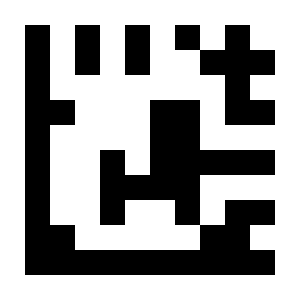
Enable All Barcodes#
Enable 1D Barcodes Only#

Enable 1D Barcodes Only#
Enable 2D Barcodes Only#

Enable 2D Barcodes Only#
1D Symbology Settings#
Important
For settings in this group, perform settings in the order: Start Setup -> Function Setting Barcode -> End Setup.
UPC-A#
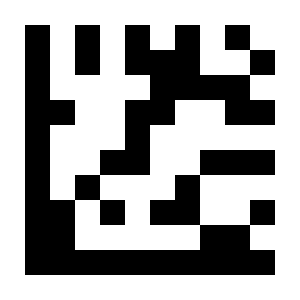
* Enable UPC-A#
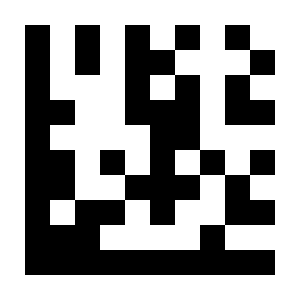
Disable UPC-A#
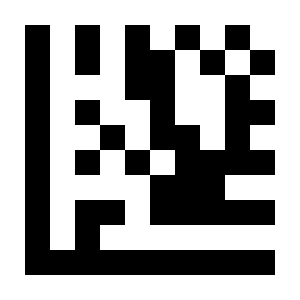
* Transmit Leading Digit#
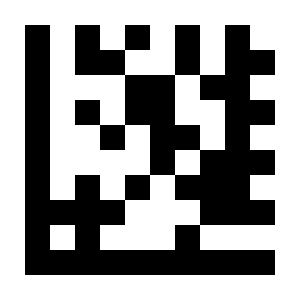
Do Not Transmit Leading Digit#
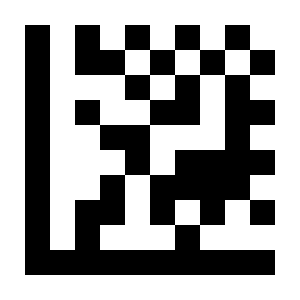
* Enable Check Digit#
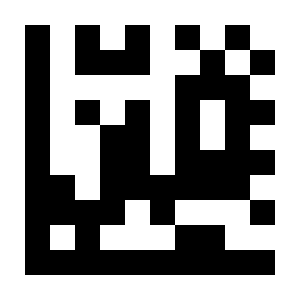
Disable Check Digit#
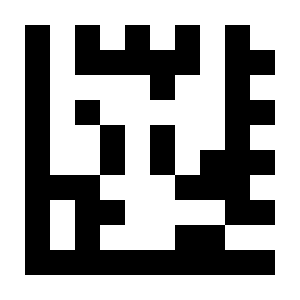
Enable EAN-13 Conversion#
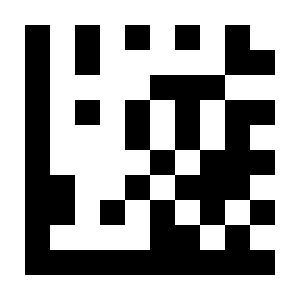
* Disable EAN-13 Conversion#
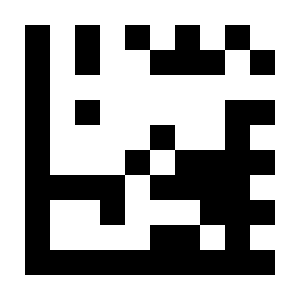
Enable UPC-A 2/5-digit Addenda#
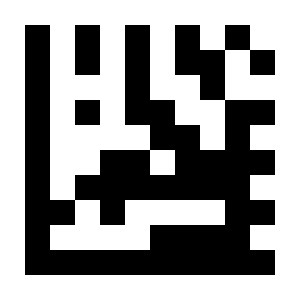
* Disable UPC-A 2/5-digit Addenda#
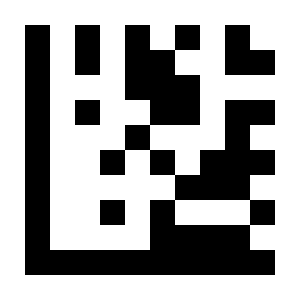
Read Only UPC-A 2/5-digit Addenda#

* Read UPC-A and UPC-A 2/5-digit Addenda#
UPC-E#

* Enable UPC-E#
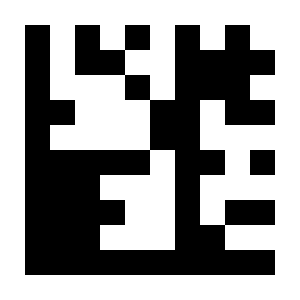
Disable UPC-A#
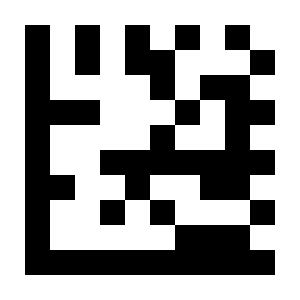
* Transmit Leading Digit#
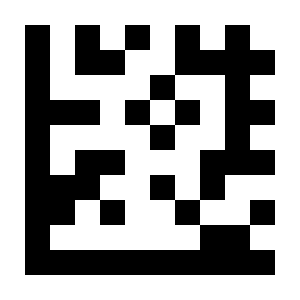
Do Not Transmit Leading Digit#

* Enable Check Digit#
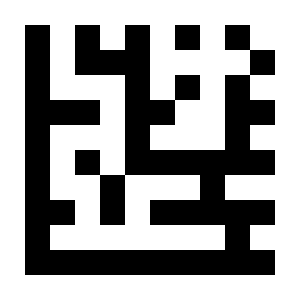
Disable Check Digit#

Enable UPC-A Conversion#
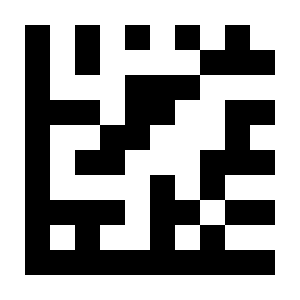
* Disable UPC-A Conversion#
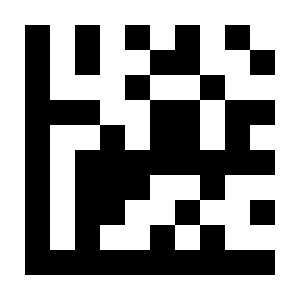
Enable UPC-E 2/5-digit Addenda#
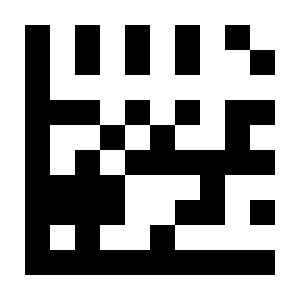
* Disable UPC-E 2/5-digit Addenda#
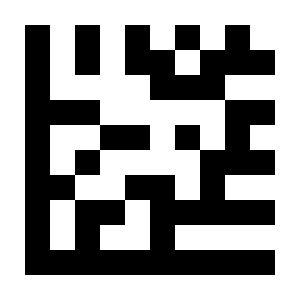
Read Only UPC-E 2/5-digit Addenda#
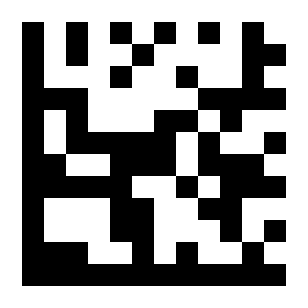
* Read UPC-E and UPC-E 2/5-digit Addenda#
EAN-8#
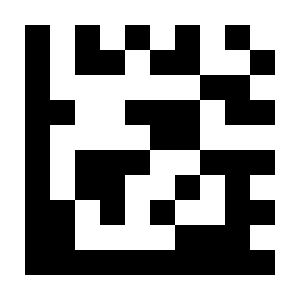
* Enable EAN-8#
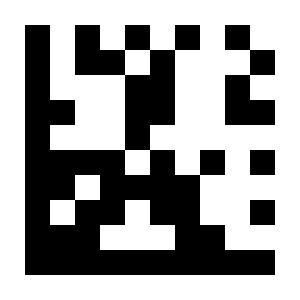
Disable EAN-8#
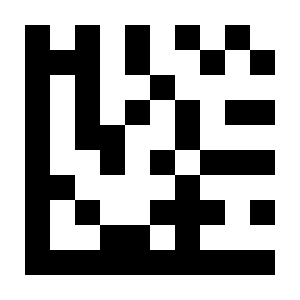
* Transmit Check Digit#
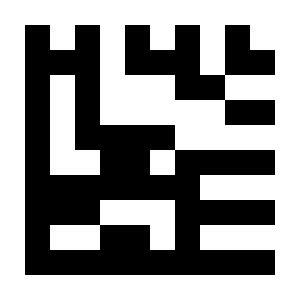
Do Not Transmit Check Digit#
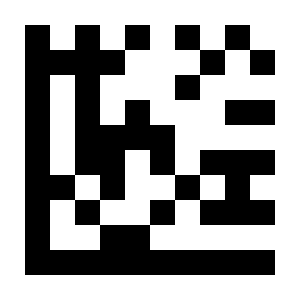
Enable EAN-13 Conversion#
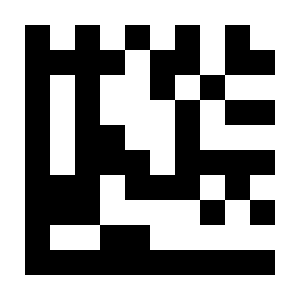
* Disable EAN-13 Conversion#
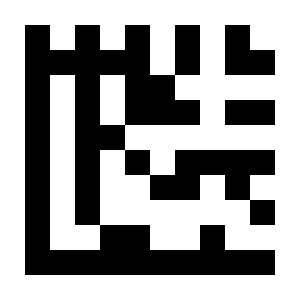
Enable EAN-8 2/5-digit Addenda#
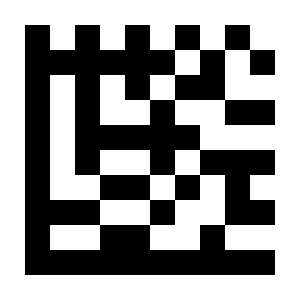
* Disable EAN-8 2/5-digit Addenda#
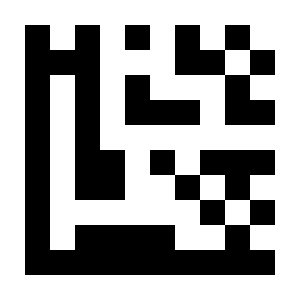
Read Only EAN-8 2/5-digit Addenda#
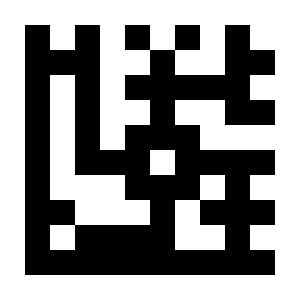
* Read EAN-8 and EAN-8 2/5-digit Addenda#
EAN-13#
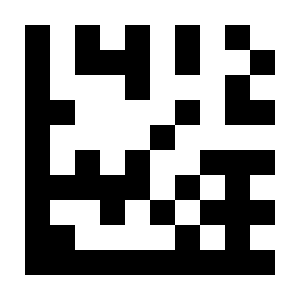
* Enable EAN-13#
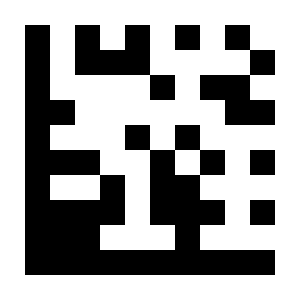
Disable EAN-13#
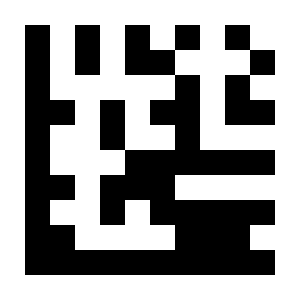
* Transmit Check Digit#
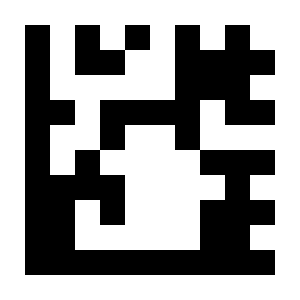
Do Not Transmit Check Digit#
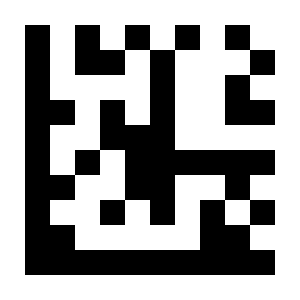
Enable ISBN Conversion#
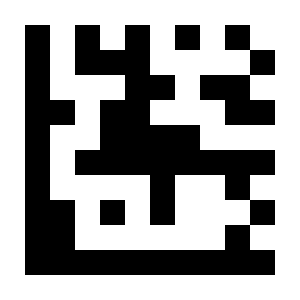
* Disable ISBN Conversion#
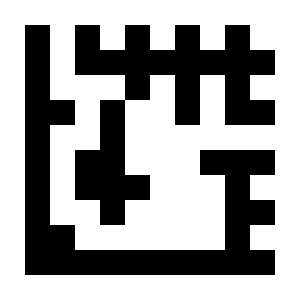
Enable ISSN Conversion#

* Disable ISSN Conversion#
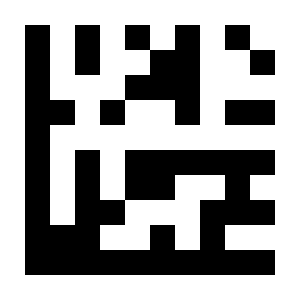
Enable EAN-13 2/5-digit Addenda#
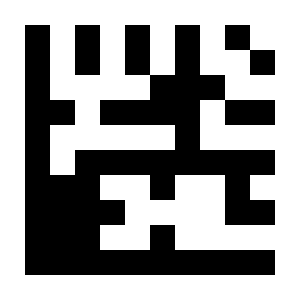
* Disable EAN-13 2/5-digit Addenda#
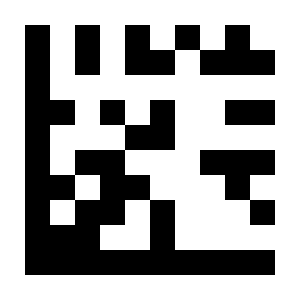
Read Only EAN-13 2/5-digit Addenda#

* Read EAN-13 and EAN-13 2/5-digit Addenda#
Code 128 / GS1-128#
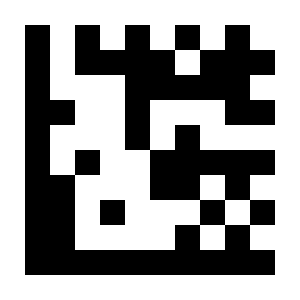
* Enable Code 128 / GS1-128#
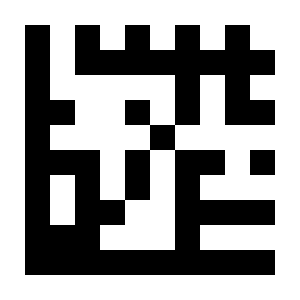
Disable Code 128 / GS1-128#
Code 39#
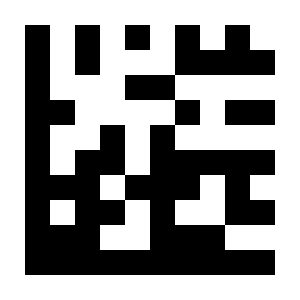
* Enable Code 39#
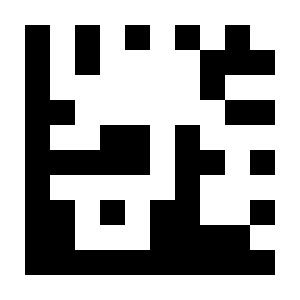
Disable Code 39#

Enable Code 39 Full ASCII Function#
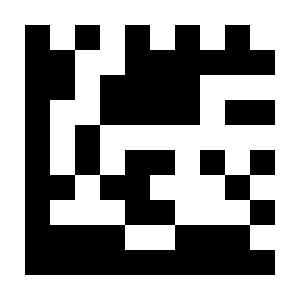
* Disable Code 39 Full ASCII Function#

Transmit Start/Stop Characters#
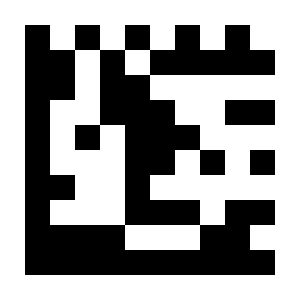
* Do Not Transmit Start/Stop Characters#
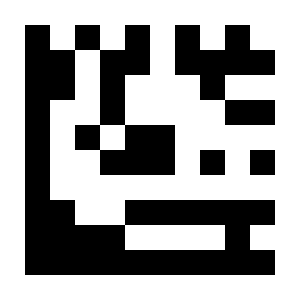
* No Verification#
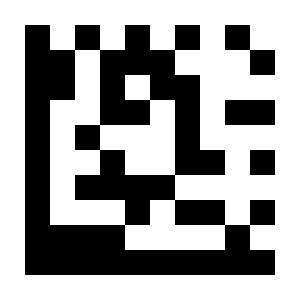
Verify and Transmit# |
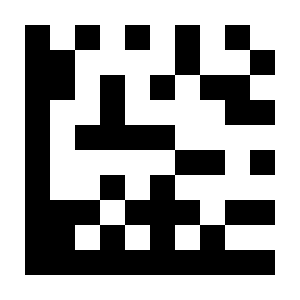
Verify Without Transmitting# |
Code 93#
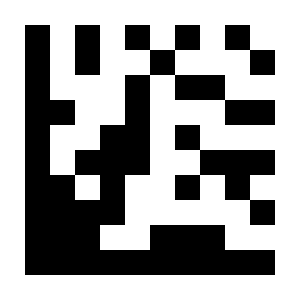
Enable Code 93#
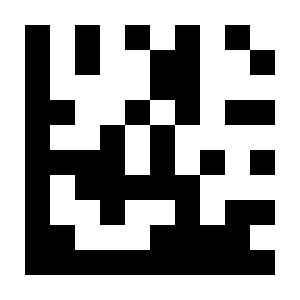
* Disable Code 93#
Code 32#
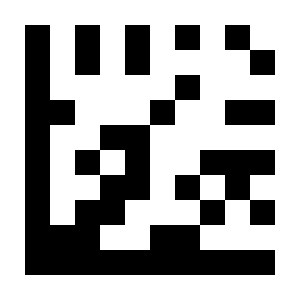
Enable Code 32#
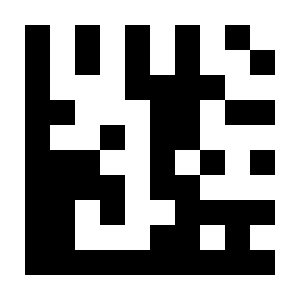
* Disable Code 32#
Code 11#
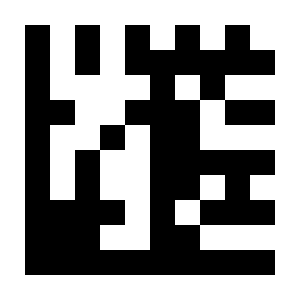
Enable Code 11#
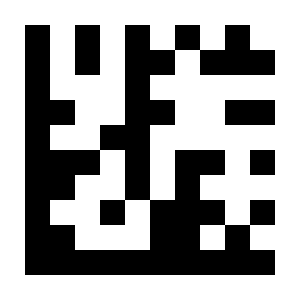
* Disable Code 11#
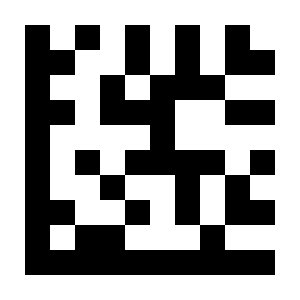
* Transmit Check Digit#

Do Not Transmit Check Digit#
Codabar#
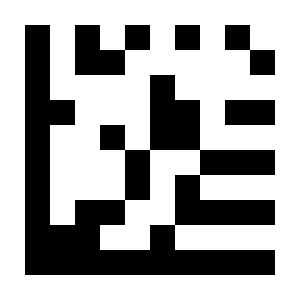
* Enable Codabar#
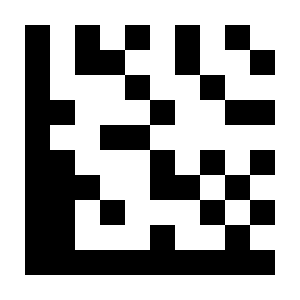
Disable Codabar#

* No Verification#

Verify and Transmit# |

Verify Without Transmitting# |

Transmit Start/Stop Characters#

* Do Not Transmit Start/Stop Characters#
Plessey#
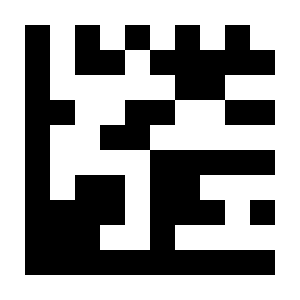
Enable Plessey#
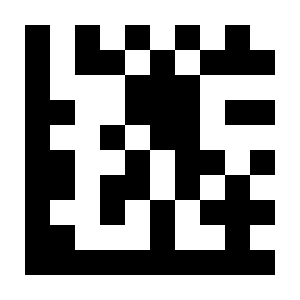
* Disable Plessey#
MSI Plessey#
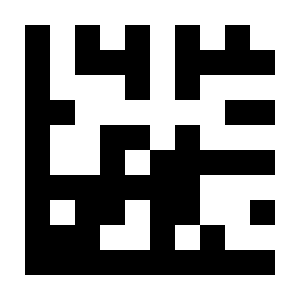
* Enable MSI Plessey#
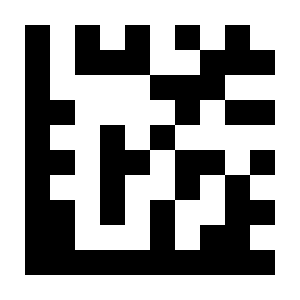
Disable MSI Plessey#

No Verification#
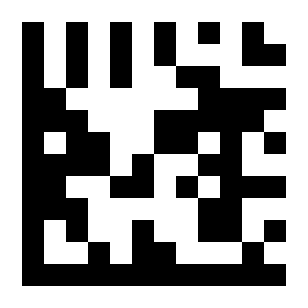
* Mod 10 Verification#

Mod 10/10 Verification#
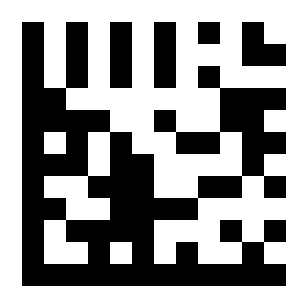
Mod 11/10 Verification#

* Transmit Check Digit#

Do Not Transmit Check Digit#
Interleaved 2 of 5#
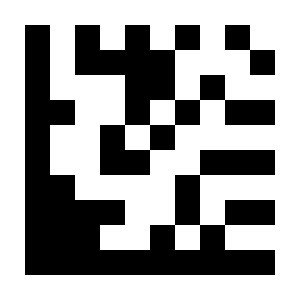
* Enable Interleaved 2 of 5#

Disable Interleaved 2 of 5#
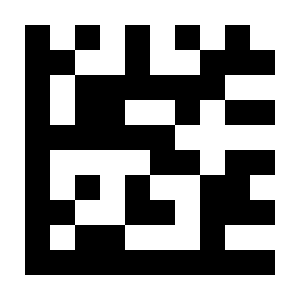
* No Verification#

Verify and Transmit#
IATA 2 of 5#
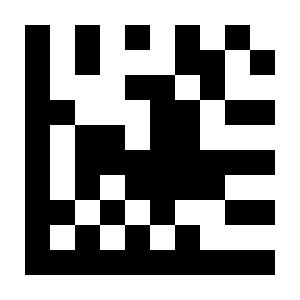
Enable IATA 2 of 5#
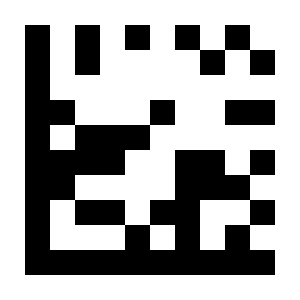
* Disable IATA 2 of 5#
Matrix 2 of 5#
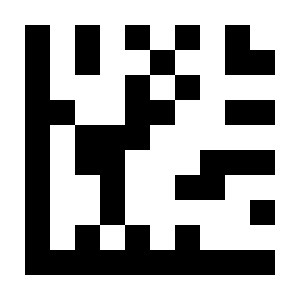
Enable Matrix 2 of 5#

* Disable Matrix 2 of 5#
Straight 2 of 5#
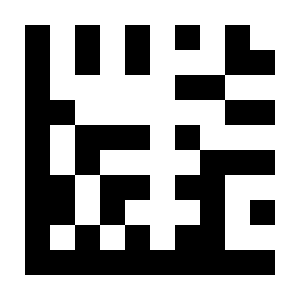
Enable Straight 2 of 5#
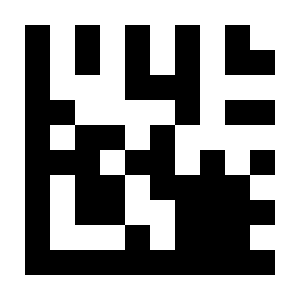
* Disable Straight 2 of 5#
Pharmacode#
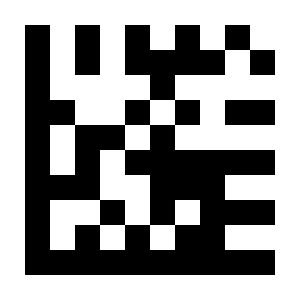
Enable Pharmacode#
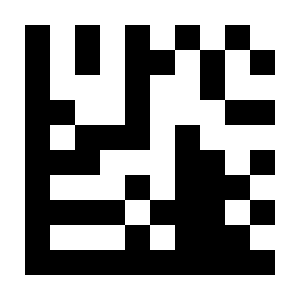
* Disable Pharmacode#
GS1 DataBar 14#
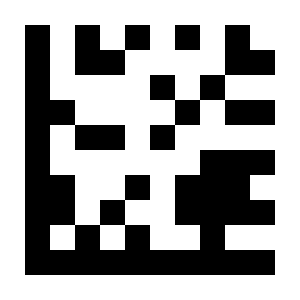
* Enable GS1 DataBar 14#
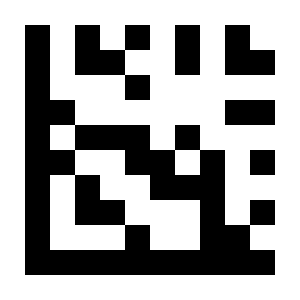
Disable GS1 DataBar 14#
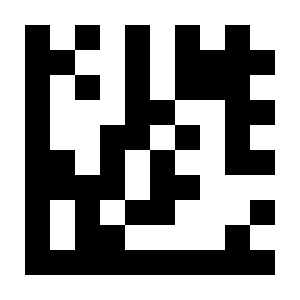
Enable GS1 DataBar 14 Stacked#

* Disable GS1 DataBar 14 Stacked#

* Output AI (01) Characters#

Do Not Output AI (01) Characters#
GS1 DataBar Expanded#
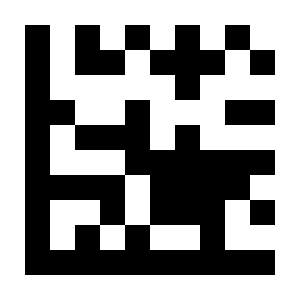
* Enable GS1 DataBar Expanded#
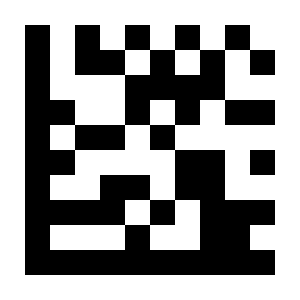
Disable GS1 DataBar Expanded#

Enable GS1 DataBar Expanded Stacked#

* Disable GS1 DataBar Expanded Stacked#

* Output AI (01) Characters#

Do Not Output AI (01) Characters#
GS1 DataBar Limited#

* Enable GS1 DataBar Limited#
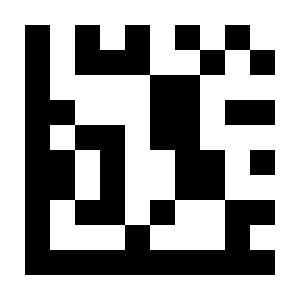
Disable GS1 DataBar Limited#
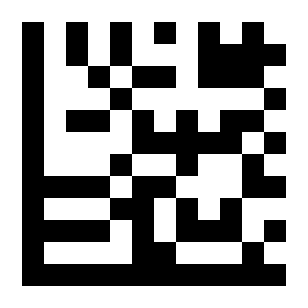
* Output AI (01) Characters#
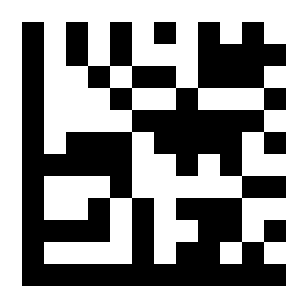
Do Not Output AI (01) Characters#
2D and Composite Code Settings#
Important
For settings in this group, perform settings in the order: Start Setup -> Function Setting Barcode -> End Setup.
Composite Code-A#
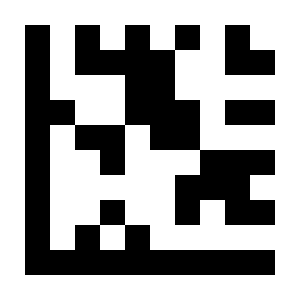
Enable Composite Code-A#
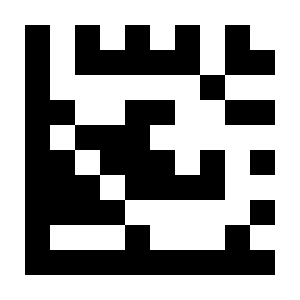
* Disable Composite Code-A#
Composite Code-B#
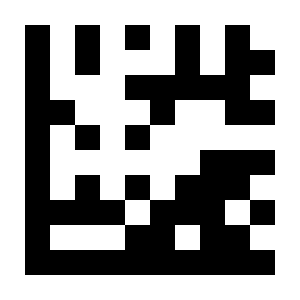
Enable Composite Code-B#
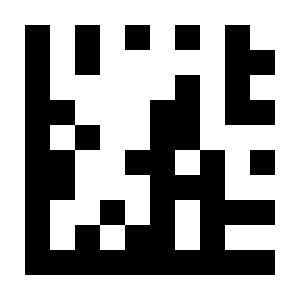
* Disable Composite Code-B#
Composite Code-C#
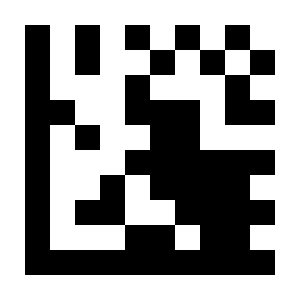
Enable Composite Code-C#
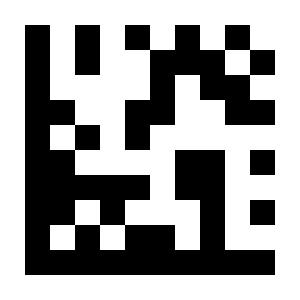
* Disable Composite Code-C#
PDF417#
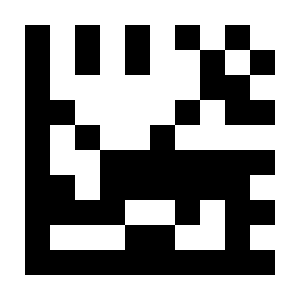
* Enable PDF417#
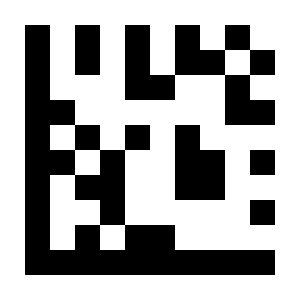
Disable PDF417#
Micro PDF417#
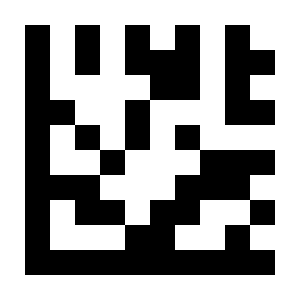
* Enable MicroPDF417#
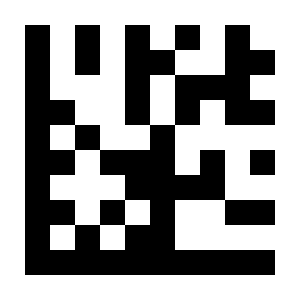
Disable Micro PDF417#
Data Matrix#
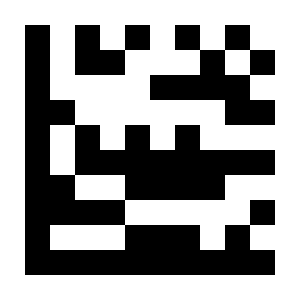
* Enable Data Matrix#
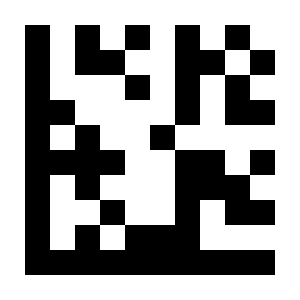
Disable Data Matrix#

* Enable Mirror Decode#

Disable Mirror Decode#

* Enable Rectangular Data Matrix#
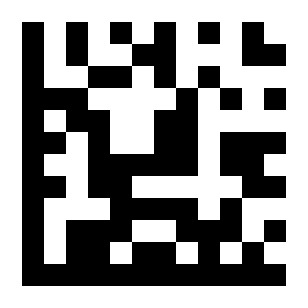
Disable Rectangular Data Matrix#
QR Code#
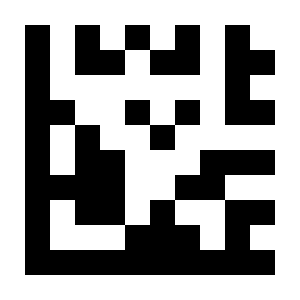
* Enable QR Code#
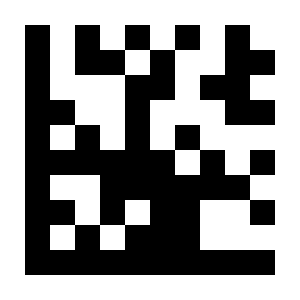
Disable QR Code#
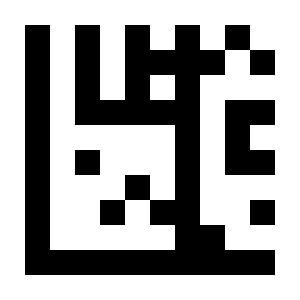
* Enable Mirror Decode#
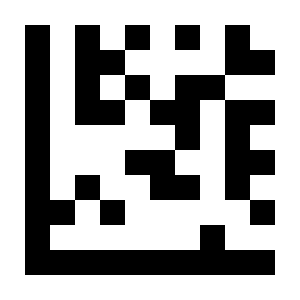
Disable Mirror Decode#
Micro QR#
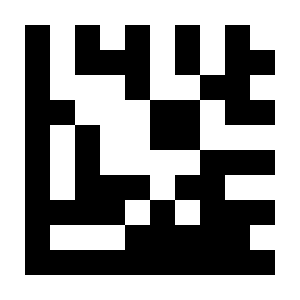
* Enable Micro QR#
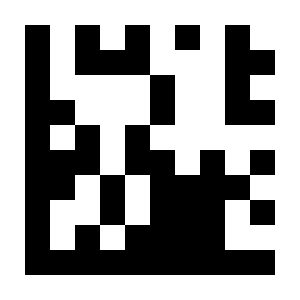
Disable Micro QR#
Aztec#
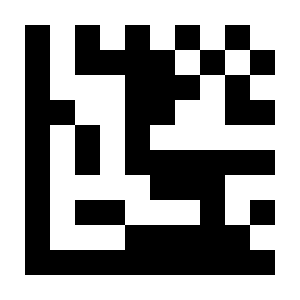
Enable Aztec#
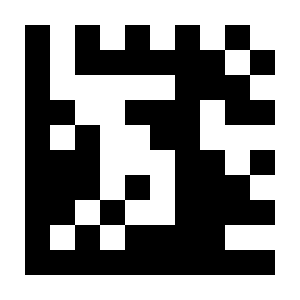
* Disable Aztec#
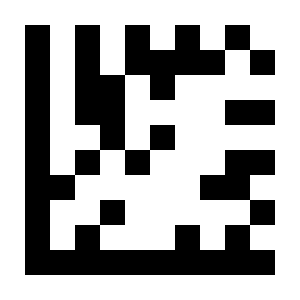
* Enable Mirror Decode#
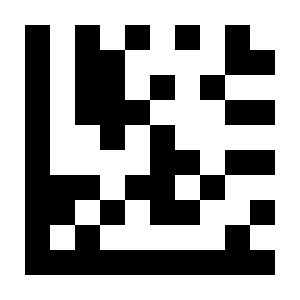
Disable Mirror Decode#
MaxiCode#
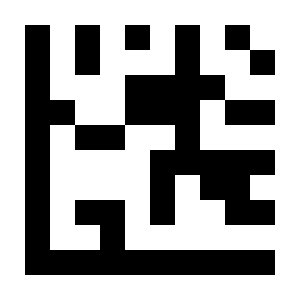
Enable MaxiCode#

* Disable MaxiCode#
Decode Length Settings#
Important
For settings in this group, perform settings in the order: Start Setup -> Function Setting Barcode -> End Setup.
The following settings limit the readable length for each symbology; Code 128 is used as the example.
Restrict to a Single Length#
Restrict reading to barcodes of a single length. For example, set Code 128 to read only barcodes with a length of 14 characters.
Example
Scan “Start Setup”.
Scan the
Code 128“Restrict to a Single Length” setting barcode.Scan the
1setting barcode in ASCII Code Table.Scan the
4setting barcode in ASCII Code Table.Scan “End Setup”.
Restrict to Two Different Lengths#
Restrict reading to barcodes of two different lengths. For example, set Code 128 to read barcodes with lengths of 2 and 14 characters.
Example
Scan “Start Setup”.
Scan the
Code 128“Restrict to Two Different Lengths” setting barcode.Scan the
0setting barcode in ASCII Code Table.Scan the
2setting barcode in ASCII Code Table.Scan the
1setting barcode in ASCII Code Table.Scan the
4setting barcode in ASCII Code Table.Scan “End Setup”.
Restrict to a Length Range#
Restrict reading to barcodes within a length range. For example, set Code 128 to read barcodes with lengths from 08~14 characters.
Example
Scan “Start Setup”.
Scan the
Code 128“Restrict to a Length Range” setting barcode.Scan the
0setting barcode in ASCII Code Table.Scan the
8setting barcode in ASCII Code Table.Scan the
1setting barcode in ASCII Code Table.Scan the
4setting barcode in ASCII Code Table.Scan “End Setup”.
any length#
Example
Scan “Start Setup”.
Scan the
Code 128“Any Length” setting barcode.Scan “End Setup”.
Code 128#

Restrict to a Single Length# |

Restrict to Two Different Lengths# |

Restrict to a Length Range# |
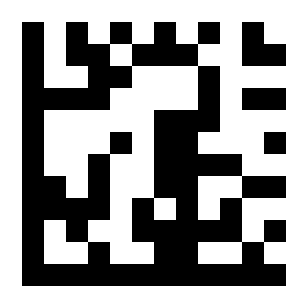
* Any Length# |
Code 39#

Restrict to a Single Length# |

Restrict to Two Different Lengths# |

Restrict to a Length Range# |

* Any Length# |
Code 93#

Restrict to a Single Length# |

Restrict to Two Different Lengths# |

Restrict to a Length Range# |

* Any Length# |
Codabar#

Restrict to a Single Length# |

Restrict to Two Different Lengths# |

Restrict to a Length Range# |

* Any Length# |
Interleaved 2 of 5#

Restrict to a Single Length# |

Restrict to Two Different Lengths# |
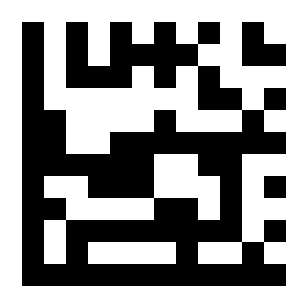
Restrict to a Length Range# |

* Any Length# |
Code 11#

Restrict to a Single Length# |

Restrict to Two Different Lengths# |

Restrict to a Length Range# |

* Any Length# |
MSI Plessey#

Restrict to a Single Length# |

Restrict to Two Different Lengths# |

Restrict to a Length Range# |

* Any Length# |
Matrix 2 of 5#

Restrict to a Single Length# |

Restrict to Two Different Lengths# |

Restrict to a Length Range# |

* Any Length# |