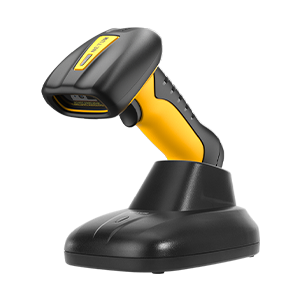
wireless mode#
Note
Only suitable for scanners that support 2.4G transmission.
Read Interface Settings#

Current Interface Settings#
Wireless transmission method#
Note
The blue light is always on or flashing to indicate that it is currently in Bluetooth mode; the blue light is off to indicate that it is currently in 2.4G mode or USB wired mode.

2.4G transmission mode#
2.4G pairing#
Important
Only valid in wireless 2.4G mode.

Start 2.4G pairing#

one-to-one pairing#

One-to-one pairing#
Receiver working mode#
Note
Composite device mode is only available on receivers running FWVerL or later. You can also use ReceiverAddress.exe to generate a pairing barcode and complete pairing by scanning it.

Receiver as composite device#

Receiver as virtual serial port#
Note
This mode requires the virtual serial port driver to be installed.

receiver as keyboard#
Receiver keyboard transmission speed#
Note
The instructions in this section are only applicable to receivers of FWVerL and above. The transmission speeds of the scanner and receiver must match, otherwise errors may occur when transmitting long barcodes.
Important
This command is only valid in wireless 2.4G mode and the receiver is connected normally.

Read keyboard speed#
Example
KB SP=2,4 represents a USB keyboard speed of 2ms and a receiver keyboard speed of 4ms.

receiver keyboard high speed#

Receiver Keyboard Medium Speed#

Receiver Keyboard Low Speed#
Note
It is only valid in wireless 2.4G mode and the receiving end receives normally.
2.4G transmission cache#
Note
This command is only available on some scanners that support this feature. After scanning the setup code, two short beeps indicate disabled, and one three-tone beep indicates enabled.
When scanning ordinary barcodes, if the amount of barcode data is large and the scanning interval is short, and the data is not uploaded in time, you can use this setting barcode to turn on or off data caching.

SRAM cache switch#
In normal mode, after data caching is turned on, if the device briefly leaves the communication distance and enters offline state, you can use this setting to choose to wait for connection before uploading the cached data, or to clear the cached data.

Offline caching switch#